WooCommerce plugin · $49 once
Let shoppers buy straight from the photo
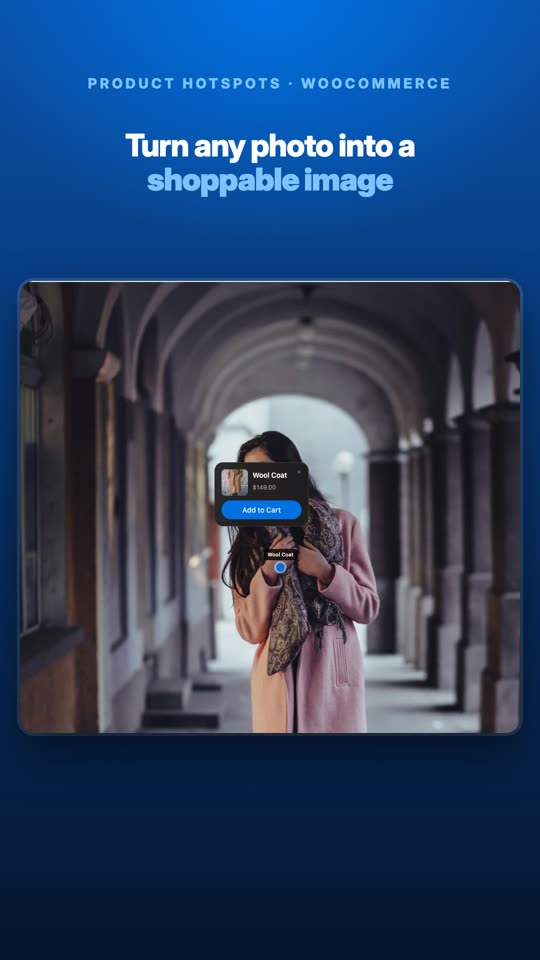
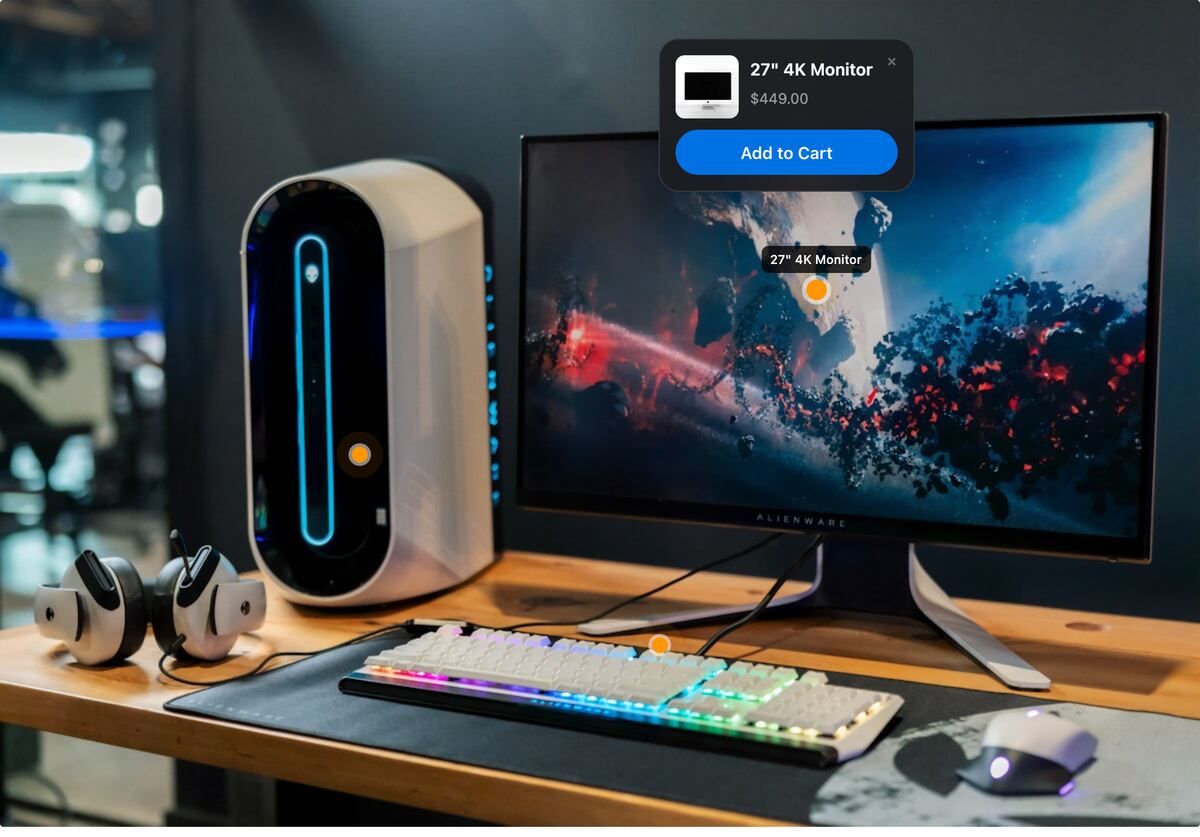
Product Hotspots puts clickable pins on a lookbook shot, a room or a parts diagram. Each pin opens a card with the product’s WooCommerce price and an Add to Cart button, and you place the pins by dragging them onto the image.
- Block, Elementor widget and shortcode
- Add to cart without a page reload
- GPL source, runs on your server


Wool Coat
$149.00
The demo store’s Fashion Look map and products, drawn with the plugin’s own tooltip styles. The cart here is a preview; the demo store has the real one.
Sixteen seconds of the real thing
Recorded on the demo store and in its admin, with no mock-ups. Here is what you are looking at.
- A lookbook photo with pins. The Fashion Look map from the demo, the same one in the header above.
- A pin opens the product card. Name, price and Add to Cart. The item goes into the WooCommerce cart without leaving the page.
- The map builder. In the WordPress admin, pins sit on the image and each one is linked to a product.
- The summary. Add to cart from the image; Gutenberg, Elementor and a shortcode.
The video plays from YouTube and loads only when you press play. Watch on YouTube
Three steps, then it runs
Maps live under their own menu in the admin. Each one is an image, its pins and a few settings.
Pick the picture
Any image from the media library: an outfit, a furnished room, an exploded diagram.
Drop pins and link products
Click Add Pin, click the image, search for the product. Drag a pin to move it; Undo takes back a mistake.
Put the map on a page
With the block, the Elementor widget or
[wiph_hotspot id="21"]. Shoppers click a pin and add to cart.
Inside the admin
Screenshots from the demo store. Log in with the demo account shown on the login page and try it; changes are not saved.
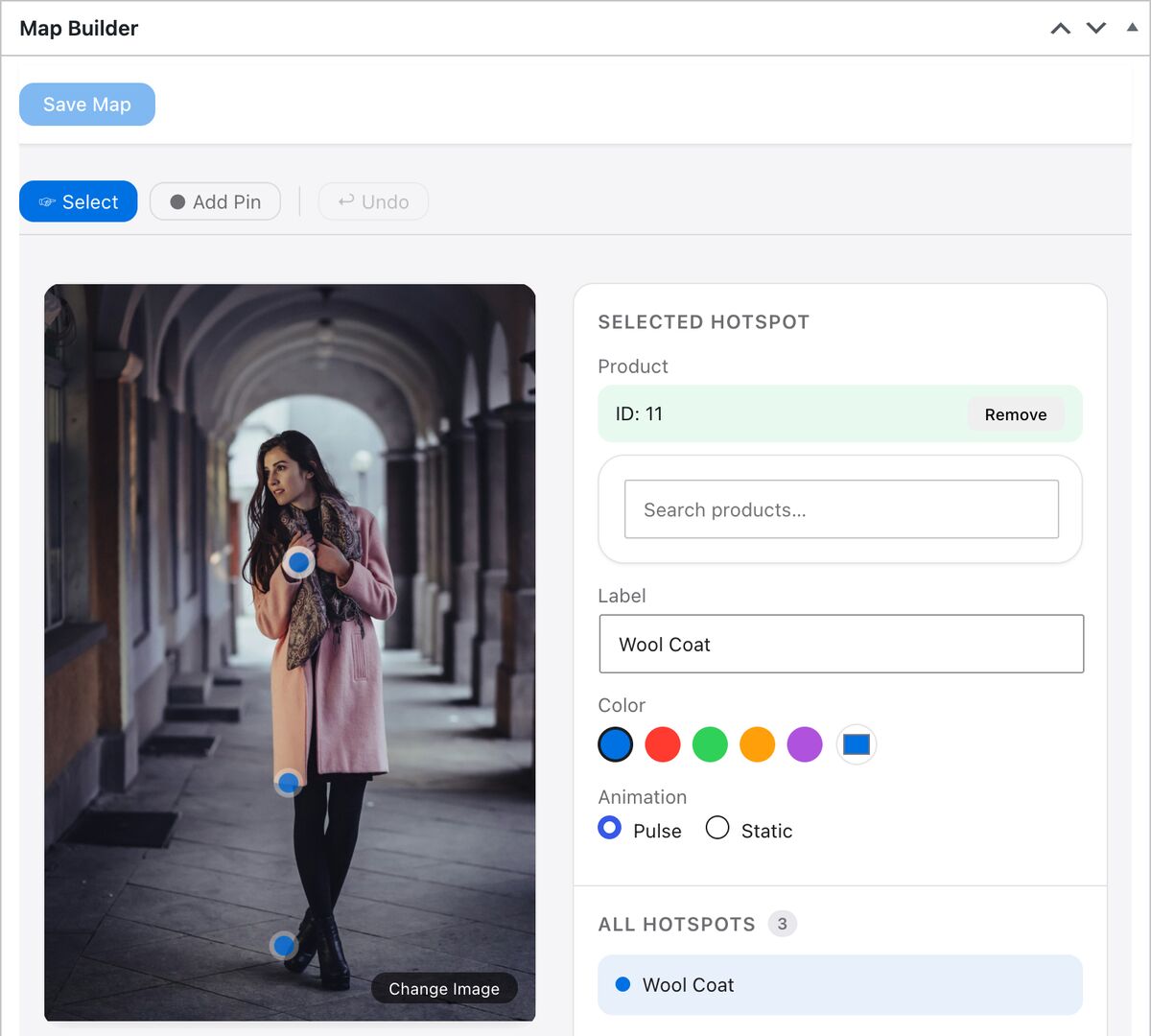
Place pins on the image
The builder is a canvas, not a form. Select a pin to edit it in the side panel.
- Link a published product by searching for it
- Optional label, shown when a shopper hovers the pin
- Pin colour from presets or your own, pulsing or static
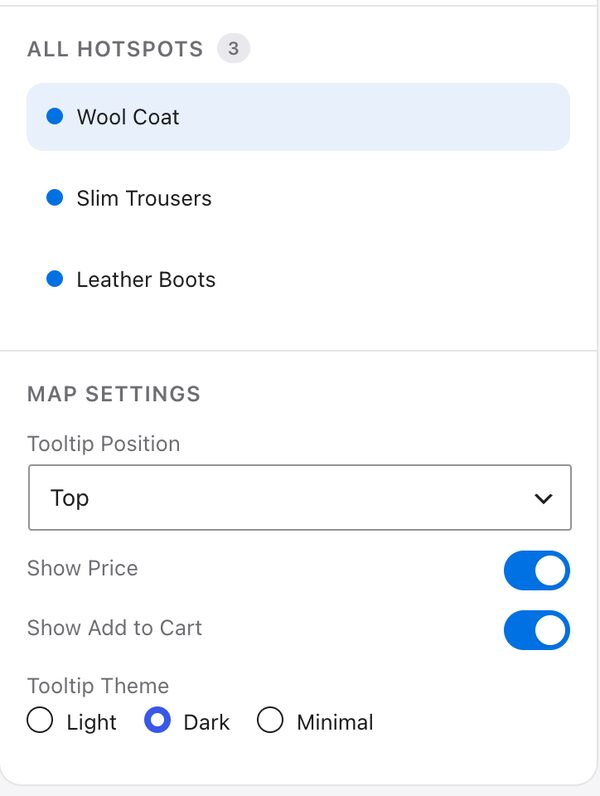
One set of options per map
A dark lookbook and a light catalogue page on the same site can each have their own look.
- Light, Dark or Minimal tooltip
- Show or hide the price
- Show or hide Add to Cart
- Tooltip above or below the pin, or automatic
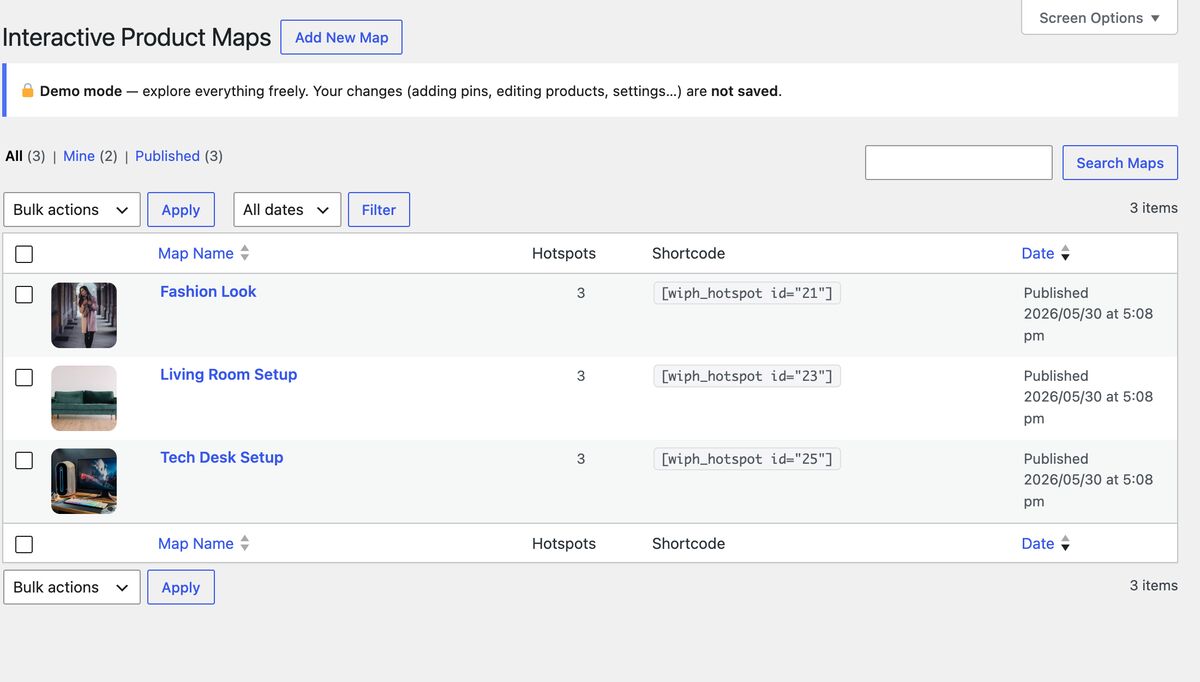
Every map, with its shortcode
The list shows a thumbnail, the number of pins and the shortcode to paste, so nobody has to look up an ID.
- As many maps as you like
- Several maps on one page
- Search and sort like any WordPress list
What the plugin does
Small on purpose: pins, a card and a cart button, done properly.
Price from WooCommerce
The card reads the product’s name, thumbnail and price when the page is rendered. There is nothing to re-enter when a price changes.
Add to cart in place
Over AJAX, with a confirmation message and the cart count updated. Out-of-stock products are refused with a clear message.
Bottom sheet on phones
Below 768 pixels wide the card slides up from the bottom, full width, instead of floating next to a small pin.
Keyboard friendly
Pins are in the tab order, Enter or Space opens a card and Esc closes it and returns focus to the pin. Pulsing stops for visitors who turn off motion.
Block, widget, shortcode
A Gutenberg block, an Elementor widget and a shortcode. Each map on a page works on its own.
Light on the storefront
Plain JavaScript and one stylesheet, loaded only on pages that show a map. No jQuery required.
What it doesn’t do
So you know before you buy, not after.
- It doesn’t create products. Pins link to WooCommerce products you already have.
- Variable products can’t be added from the card yet. The card tells the shopper to pick options on the product page.
- It isn’t a zoom or 360° viewer. Pins sit on a flat image you supply.
- Prices are written into the page, so with full-page caching a price change shows once that cache is cleared.
One price, paid once
No subscription. The plugin keeps working after the year of updates ends; renew only if you want new versions.
- Needs WordPress 6.0+, WooCommerce 7.0+, PHP 7.4+
- Plus published products to pin, and the image itself
Product Hotspots
- 1 WordPress site
- 1 year of updates and email support
- Full GPL source, unminified, runs on your server
- Licence key and download link by email after payment
Sold through Paddle, which issues the invoice and handles VAT. 30-day refund.
Questions
Something else? Read the documentation or write to support@webkoding.com.
Does the price on a pin go stale?
No. The name, thumbnail and price are read from the product each time the page is built, so a pin shows what the product page shows. If you use full-page caching, clear the cache after a price change, as you would for any product page.
Can shoppers add to cart without leaving the image?
Yes, for simple products. The button adds the item over AJAX, shows “Added to cart” and updates the cart count. Variable and grouped products show a note to choose options on the product page.
What does it look like on a phone?
Pins get a little bigger, and the card opens as a full-width sheet at the bottom of the screen. Open the demo on your phone to try it.
Will it work with my theme?
The map is a self-contained block with its own scoped styles, and the Add to Cart button keeps its colours when a theme restyles links and buttons. The demo store runs Storefront. If something looks off in yours, email support.
How do I put a map on a page?
Use the Interactive Product Map block, the Elementor widget, or paste the shortcode from the maps list, for example [wiph_hotspot id="21"]. You can put several maps on one page.
How many sites does a licence cover?
One WordPress site. The full terms are on the licence page.
What happens after the first year?
The plugin keeps working. Updates and email support last a year; renew only if you want newer versions.
Turn the photos you already have into a way to buy
Click a pin in the demo store and add something to the cart. Then log in to the admin demo and move a pin yourself.